Debugging a remote target
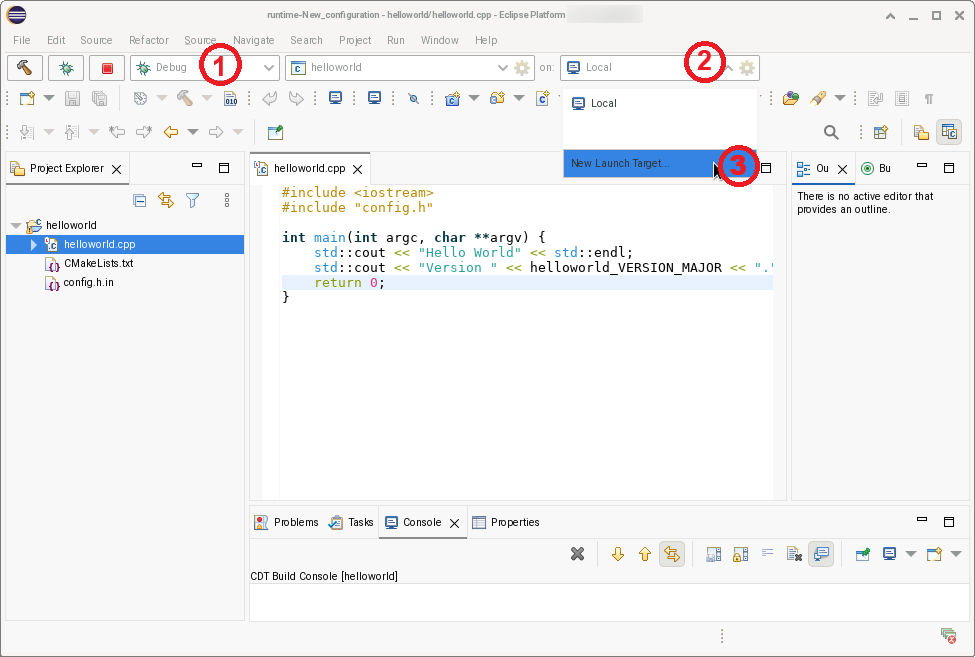
Debugging a CBS project is done via the Launch Bar. Make sure the launch bar is installed and enabled.
A new remote target must be added to the launch bar.
-
Select launch mode Debug.
-
Unfold the launch target selector by pressing the "v" symbol.
-
Select New Launch Target…
Remote TCP target
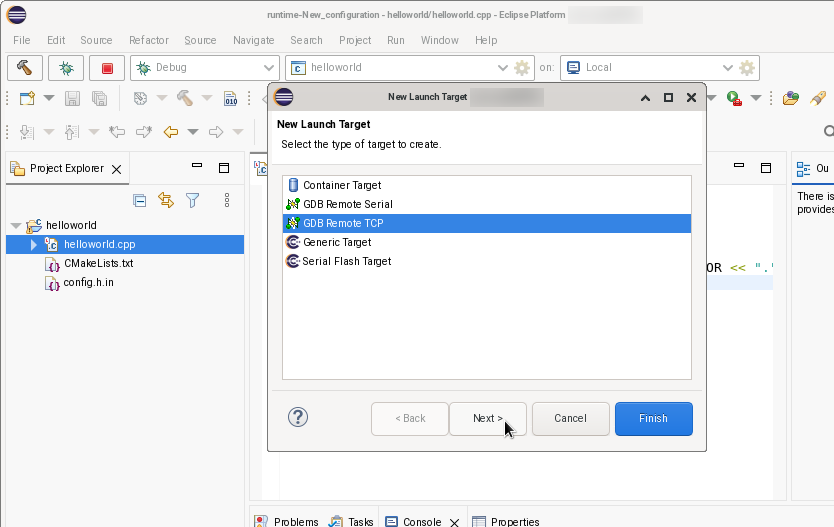
Select target type GDB Remote TCP and click Next >.
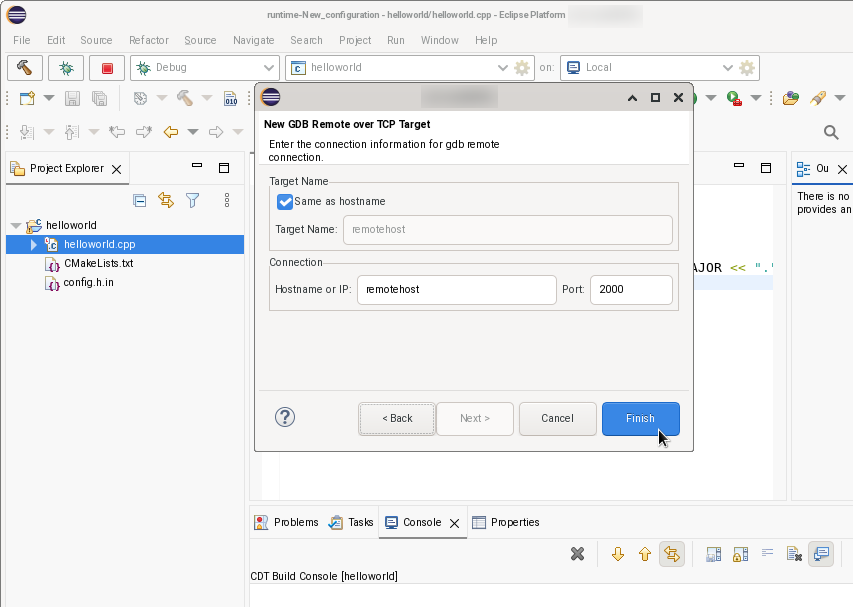
Enter the connection details, and click Finish.
When the remote target is selected in the launch bar, the launch configuration Debugger tab has an extra sub tab Connection. The Connection tab inherited the values from launch target. The fields are disabled for editing. Changing host name or port number must be done in the launch target. Note that the launch target can be used for multiple launch configurations.
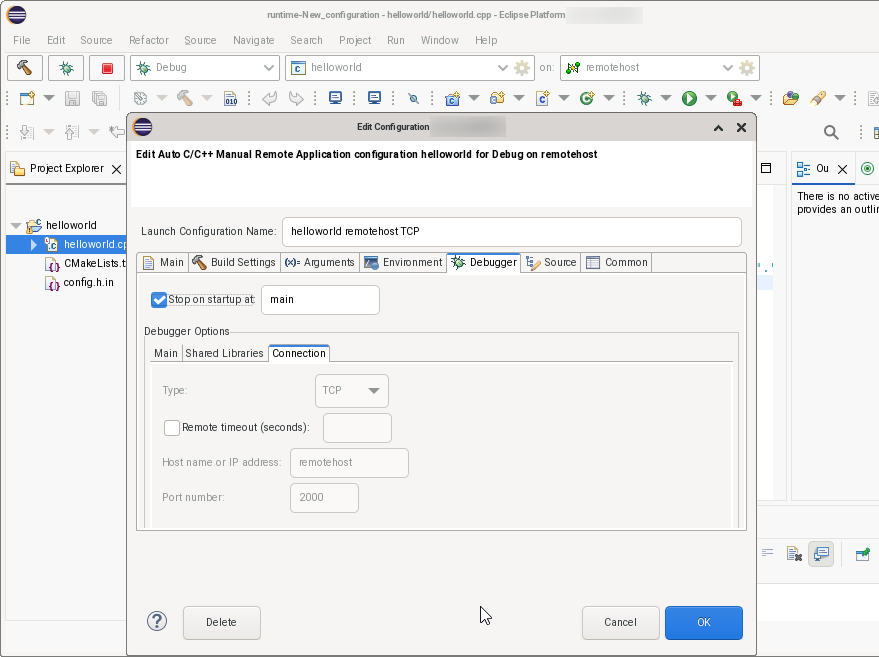
Build and launch the project.
Remote Serial target
Create a new launch target of type GDB Remote Serial.
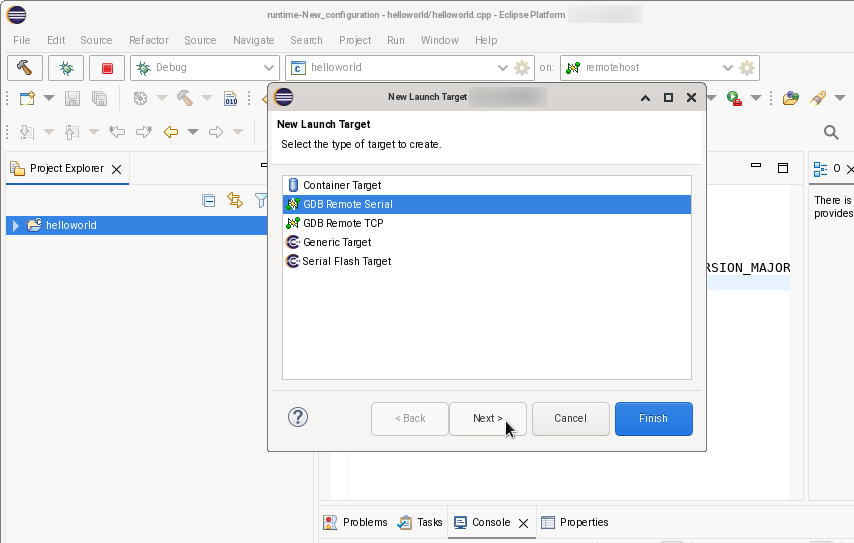
Enter the connection details, and click Finish.
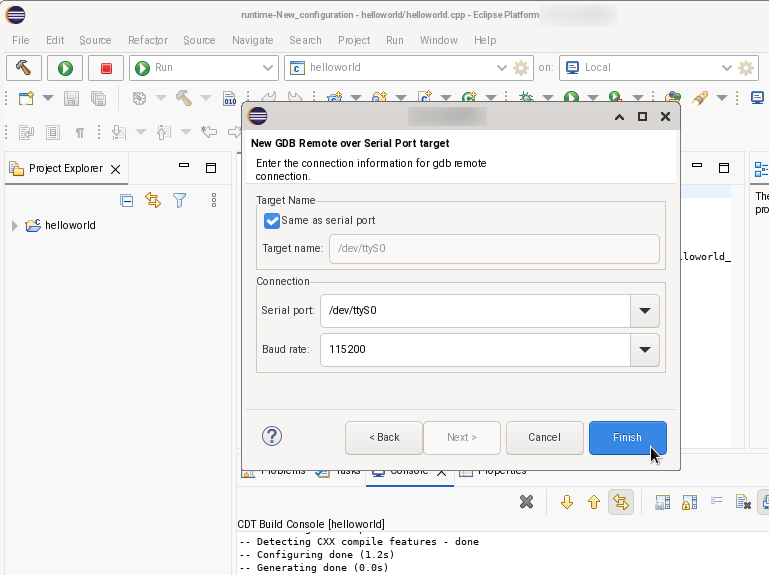
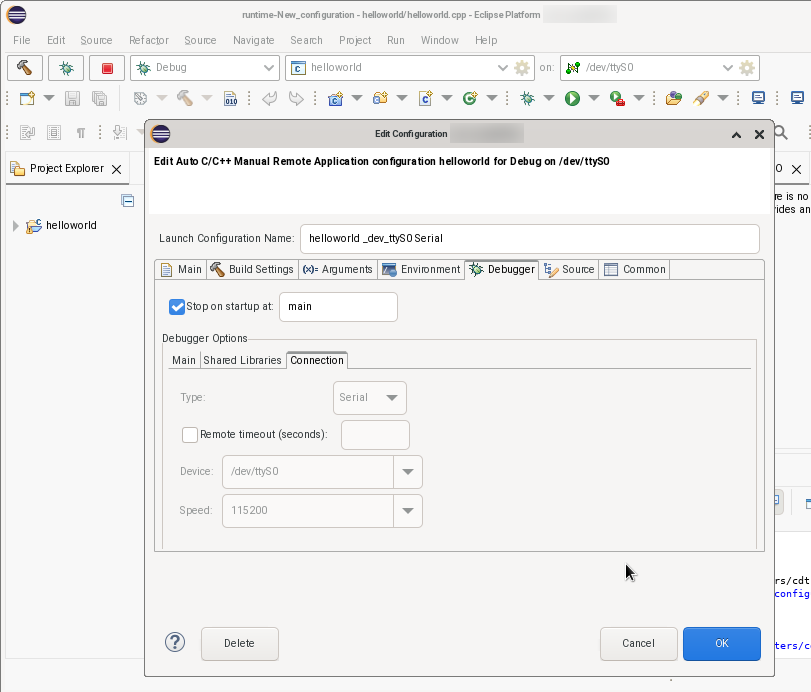
As with a TCP remote target, in the launch configuration the the fields for the connection parameters are not editable.